Godot Post-Processing Kuwahara Filter

Search for a command to run...

No comments yet. Be the first to comment.
Changes in depth and normal vectors can be used to draw outlines around objects in a rendered scene. I've posted an example of one such method here: GitHub Repo: https://github.com/Vortex-Basis-LLC/Godot-VBG-Samples-Shaders Specific Shader: https:/...
Daniel Holden has a great explanation of two bone IK and C-language style implementation here: https://theorangeduck.com/page/simple-two-joint I’ve made a Godot SkeletonModifier3D implementation following his method which is available in this public ...

GitHub Repro: https://github.com/Vortex-Basis-LLC/fix_synty_anim_to_godot_with_autorigpro I made a Blender extension to convert all of the Synty animations into GLB files that work with Godot. It requires Auto-Rig Pro to already be installed in Blend...

An Exercise in Blender Python Scripting
I've made a quick example showing how to control the mouse with a gamepad in Godot. The left stick controls the mouse and a configurable button can trigger a mouse click. The right stick will scroll a user control if there is a ScrollContainer under ...
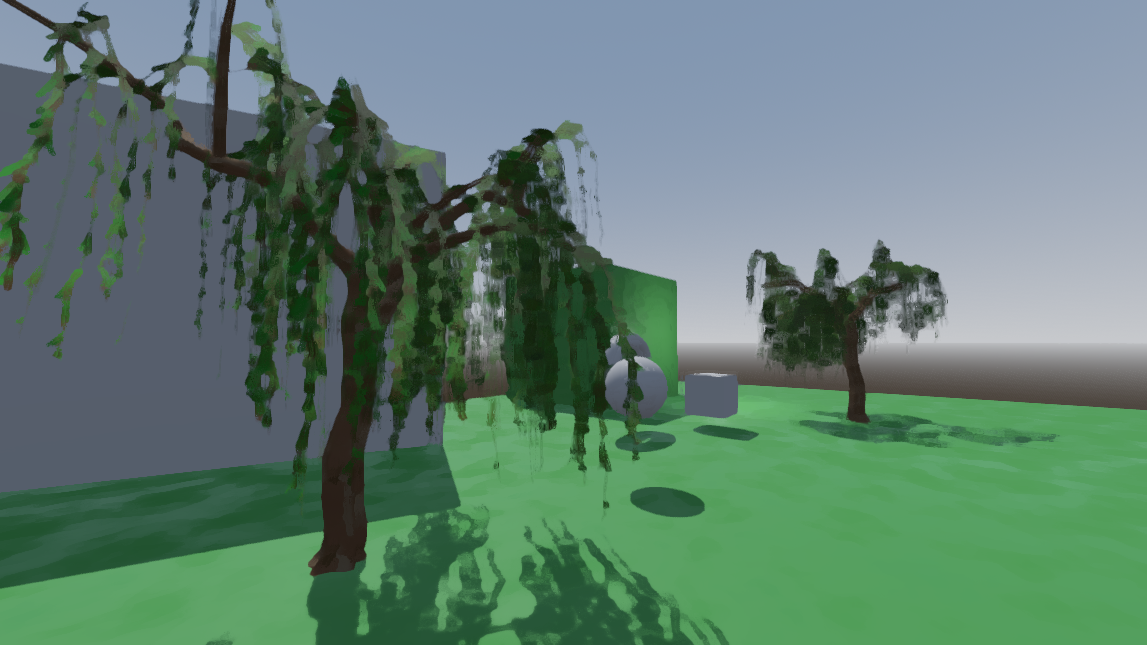
The Kuwahara filter is a well-known filter for adding a bit of stylized painterly effects to your renders. The latest version of Blender even includes a Kuwahara filter in its compositor.
I'll leave more detailed descriptions of the Kuwahara filter to others (just search the internet for "Kuwahara filter" or "Kuwahara anisotropic filter"), but here are the basics. For each pixel, you divide a small window surrounding the pixel into sectors (such as rectangular quadrants or pieces of a pie). Then, you find the sector that has the least amount of variation in its colors, and you use the average color of that sector for the current pixel.
I've provided a sample implementation in my shader example project on GitHub that uses four rectangular quadrants that are rotated to align with the brightness gradient at each pixel.